Flyweight Pattern
This is a useful way to separate the data from the logic.
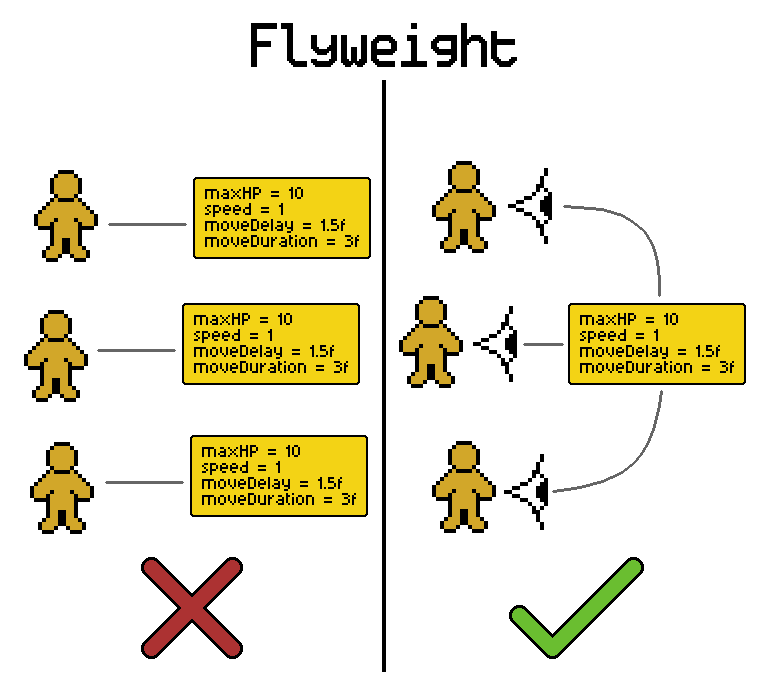
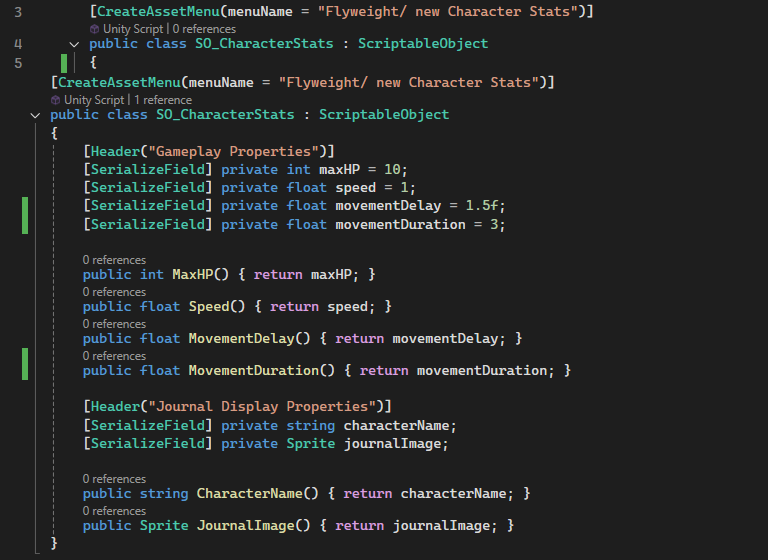
The flyweight pattern is an easy way to optimize code, and make your designers’ lives much easier by centralizing data. For example, you have ten instances of an NPC with a maxHP, movement speed, and delays for their movement. Would it be better for each of them to use memory to hold onto these same stats, or would it be better if they all just reference a scriptable object containing all the data? In all the projects I’ve worked on, the latter was the better option.
Having the properties centralized using a scriptable object proved to be useful because whenever the designer wanted to change the properties they knew they only needed to go to one place to change values and it will apply to all the scripts referencing it in the project. A bonus to using the flyweight pattern with scriptable objects is that you can change values in runtime and it will persist when you stop the editor.
Ultimately, having all the data centralized makes it easier to track and add new features to it so that we only need to track one reference for each object.
Example:
In this example from a prototype for an encyclopedia for a client, it shows different characters that move around a map. They each have their stats stored in a scriptable object which gets passed to an encyclopedia manager that shows their stats. You can see the stats being used by a movement script by the different speeds the characters move, and by the stats displayed in the encyclopedia entry.
State Machines
I found state machines useful for managing behaviours of objects in-game.
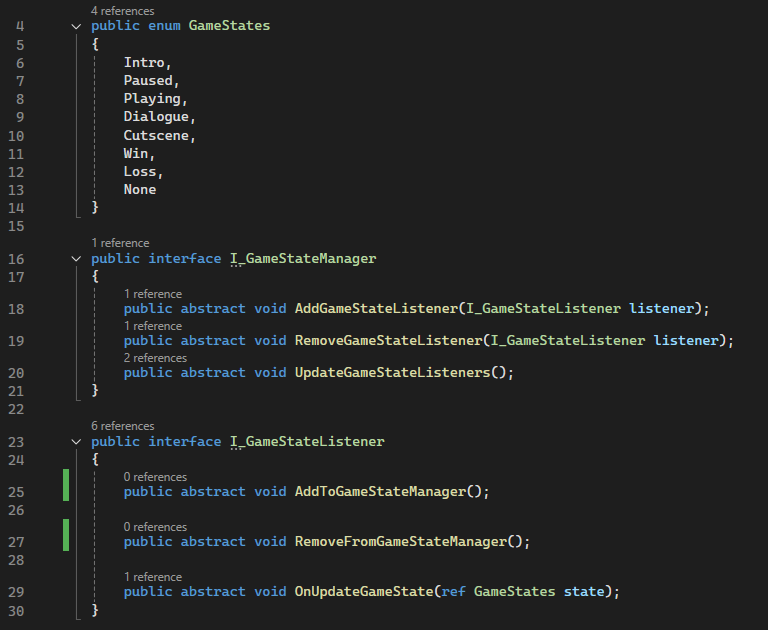
The most common problem it solves for me is that it allows us to easily modify behaviours by tracking specific game states during runtime. For example, by combining a state machine with the observer pattern we are able to manage player controls and enemy behaviours depending on whether the game is currently in a paused, playing, or in a cutscene state.
To manage this I create a manager interface that handles states and a listener interface that will be dynamically add themselves to the manager and will be notified of changes.
This can also be scaled down to a version that doesn’t require listeners and relies on game events. I use this scaled down version to manage instance states such as enemy behaviours.
Example:
In this example from another prototype, it shows the different game states at play. The states are as follows:
Default: The player is able to move around the world using WASD and start aiming.
Aiming: The player is no longer able to move, and is able to aim using the same WASD controls and cast the line.
Hooking: Once the lure hits the water, the fish change their local state from using a ‘Wander’ behaviour to an ‘Alert’ behaviour and move closer until they can bite at the lure.
Reeling: Once a fish is hooked, they move to a ‘Fight’ state where they try not get reeled in by the player. The gamestate also cause the UI to change to show the reeling UI. Within the fish’s ‘Fight’ state they also move from pulling, to resting, to being tired as indicated by the icons above the fish.
Catching: Once the fish gets reeled in towards the player, the caught fish is displayed before the game state moves back to the ‘Default’ state.

Observer Pattern
The Observer pattern should be in every programmer’s toolkit.
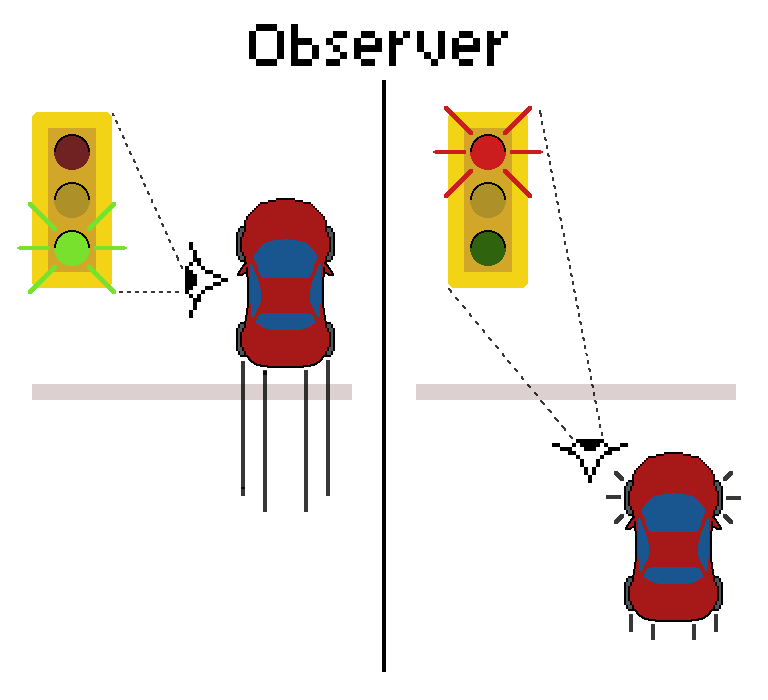
The way it was taught to me by a senior programmer is that it is like a traffic light. The cars are the observers and are looking for a signal. Once the signal is broadcasted, like a change from a green light to a red light,1 the observers see the change and act accordingly.
The most important thing to know about this pattern is that the neither the observers (cars) nor the publisher (traffic light) need to know anything about how the other works. They are completely decoupled It only matters that the publisher broadcasts that there is a change and the observers are subscribed to the publisher.
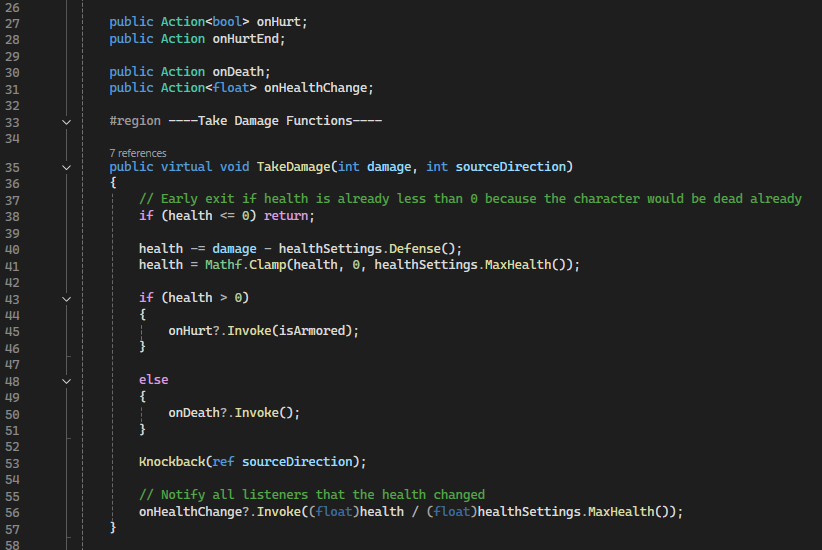
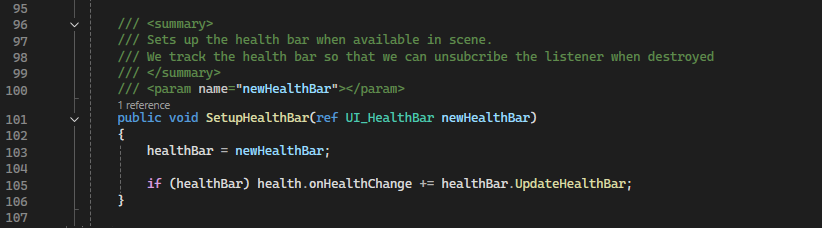
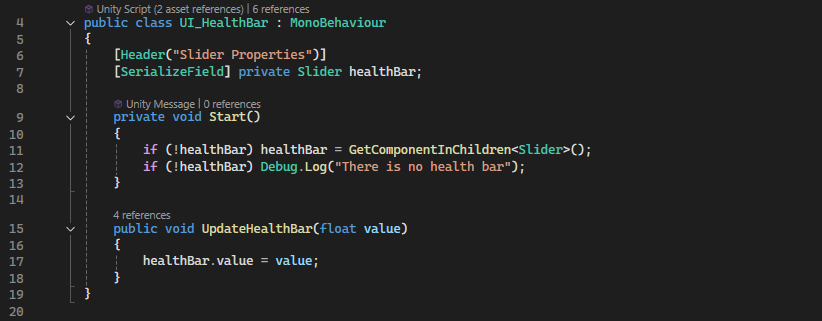
A very common place that I use this pattern is when there is a change in a player state like a change in health. The player’s inherited HealthComponent script broadcasts that there has been a change in it’s health and all the observers (like a VFX manager, Camera manager, or SFX manager) notice the change and adds juice to the change.
Example:
In this example, we are looking at a basic 2D sidescrolling action game. Both characters have a onHurt Action that is being observed by a camera manager, audio manager, and the UI health bars. Upon getting hit, the player’s health component will invoke the onHurt action which will cause the player’s sprite to flash red and will play a hurt voice line. Likewise, the enemy will call its onHurt action when hit and will cause its sprite to flash white, a ‘thud’ audio clip will play, and the camera will shake. Also, in both instances, the health bars observe any changes to the character’s health and will display the changes when they happen.
Singleton Pattern
Probably the first design pattern every new programmer should learn.
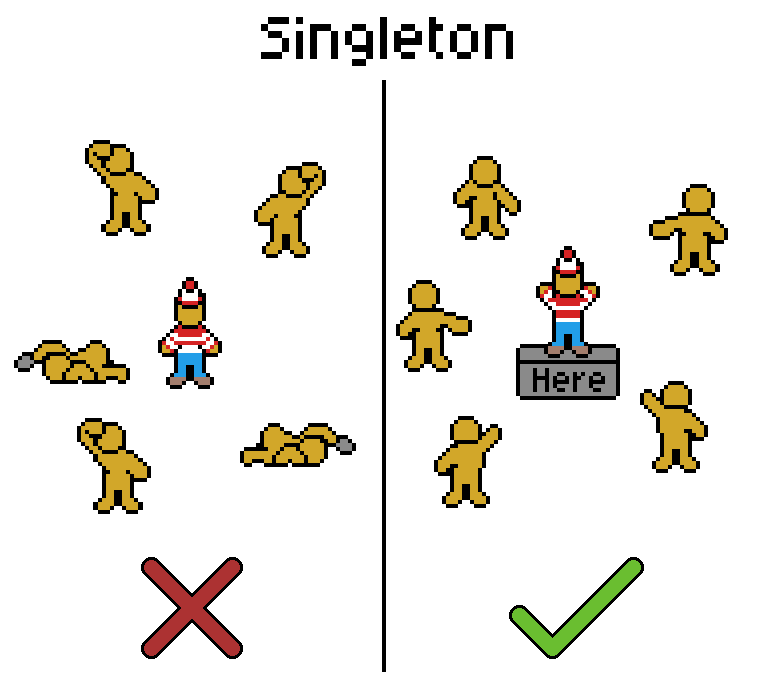
Imagine making a game where you have several game objects that can you know needs to play a sound through an audio manager. In the case that one of those objects need to play a sound would it make sense for them to search for the manager every time they need to do so? Ideally, no.
So the problem the singleton pattern solves is that if gameobjects need to access a sole instance of an object in the scene, it won’t need to search for it every time they need to access its functions or properties. Examples of this would be game managers, audio managers, enemy managers, and even the player character. As you can imagine, it can lead to a lot of managers in a scene to the point where you might even need a manager of the managers.
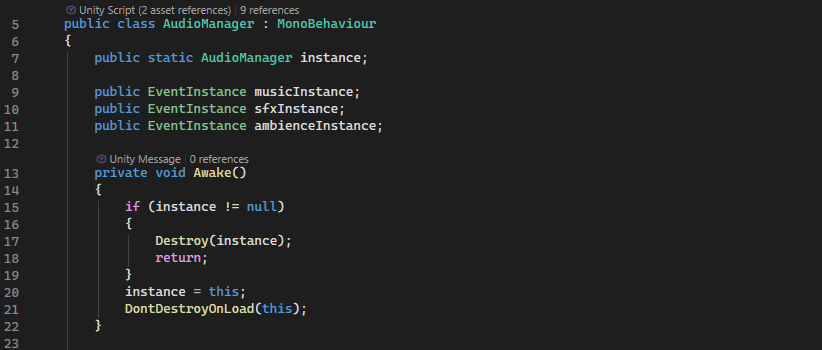
To set up a singleton, all you’d need to do is create a static instance of a class and assign it. Ideally you would do this in the Awake function so that it can be accessed by other scripts right after.
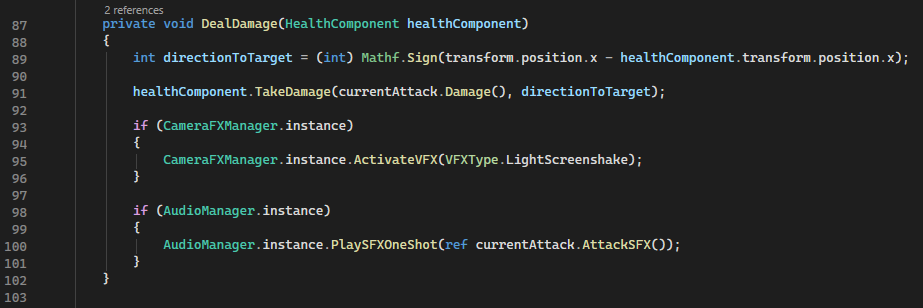
After being set up, in order to call the singleton’s functions, scripts will just have to access the instance to play the functions.
In a lot of cases, this will be enough. However it can be improved. In my practice, I have extended this using the Service Locator pattern.